I built my own slide and infographic generator because I couldn’t stop poking at Google’s NotebookLM. It’s called Polyptych, and it turns a single essay into the visuals you’d want to make from it.
Why “Polyptych”
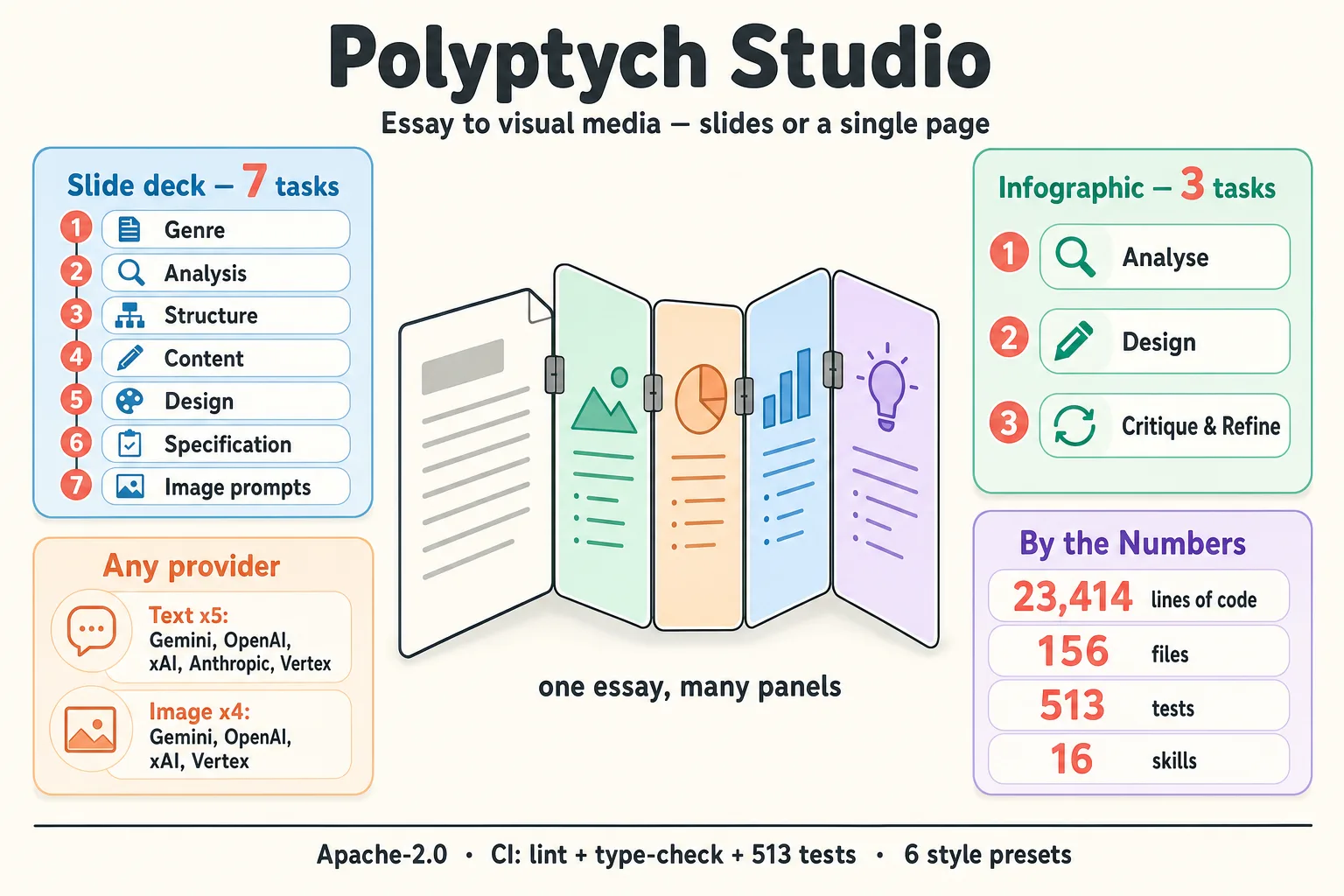
A polyptych is a painting split across several hinged panels, like an altarpiece, where each panel shows its own scene but all of them belong to one work. The tool is shaped the same way. You give it one essay and it produces a set of outputs from that single text: the same content in several different forms.
Two pipelines today
Everything starts from a markdown essay. From there you pick a pipeline:
- Slide (
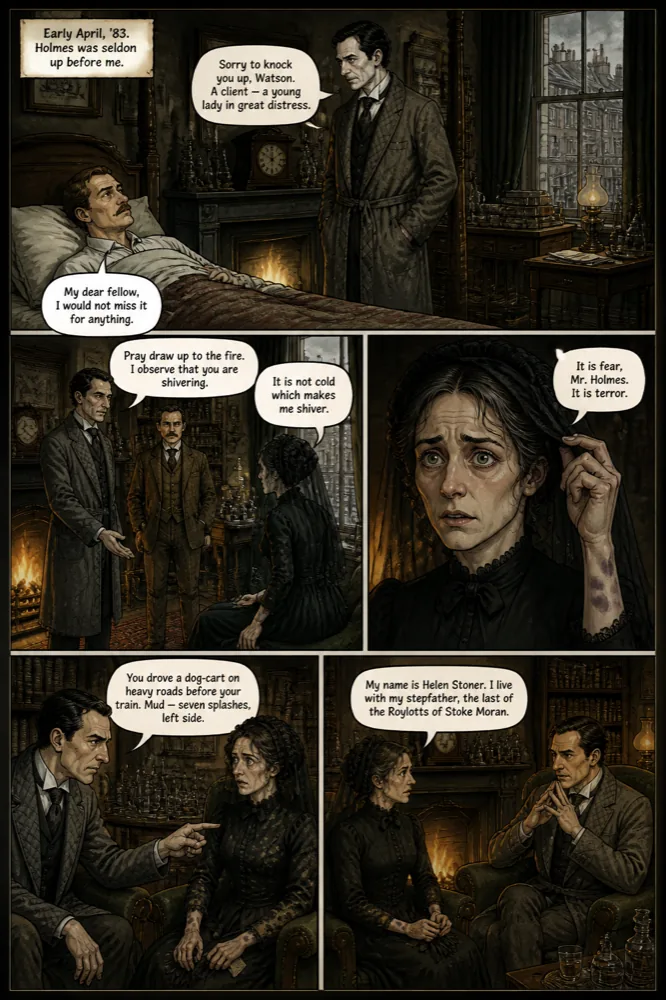
polyptych deck) — a deck of 10–30 slides with images, the obvious essay-to-slides case. This pipeline generated the slides for my GPT Image 2.0 quality test on Accelerando.
- Infographic (
polyptych infographic) — a single dense page summarizing the key ideas, generated in N variants. This is where the whole thing began, with the Book of Tea.
The same essay can feed both. That matters because the slow, editorial part — reading the text closely enough to know what’s worth showing — only has to happen once, and then it pays off in more than one format.
What it leans on
Under the hood it’s a pipeline of text tasks and image tasks, and it isn’t tied to one provider. Text generation can route through Gemini, OpenAI, xAI, Anthropic, or Vertex AI. Images go through a companion library I also released today, pixbridge (pip install pixbridge): a unified ImageClient over Gemini, OpenAI, and xAI that handles style transfer, reference images for consistency, and integrity checks on what comes back. Pulling it out into its own library let the image layer stand on its own.
Polyptych ships a set of visual presets — anime, editorial, noir, period art, infographic — so the same essay can come out as cinematic noir or quiet ink-on-paper. There is also a skill to create a new style.
An important aspect is resumability. Generation is slow and it costs real money, so the pipeline can pick up from any stage and regenerate only the pieces you ask for: “redo slides 3, 7, and 12,” without paying for the rest again.
Two ways to drive it
There are two ways to run Polyptych, and they line up with how I work.
One is a Python CLI: polyptych deck source.md, polyptych infographic source.md, and so on. That’s what you want for scripts, batch runs, and pipelines you need to reproduce.
The other is a set of skills for Claude Code and Codex — slash commands you run inside a session, for exploration and guided iteration. Here the agent itself is the model doing the text tasks, so the writing-and-structuring half of the job costs nothing in API fees.
What’s next
See the repository for more information.
P.S. This article was written with the help of Claude Opus 4.8.