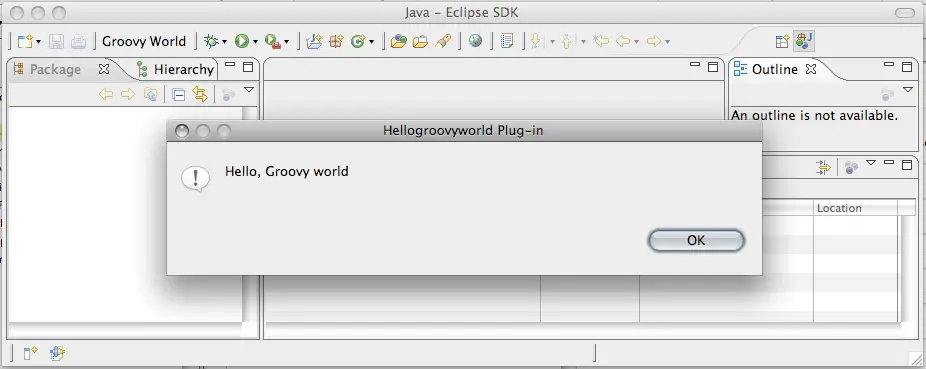
Writing plugins for Eclipse with other languages than Java is not officially supported,
but there is a way to write an Eclipse plugin with Groovy only. As prerequisites you need Eclipse with a JDT and the
Groovy Eclipse plugin.
Follow these steps.
Create a new Plugin-in project, do not use any templates.
Add the Groovy Nature to the project.
Create a Java package under src
Create a Groovy class HelloGroovyWorld with the contents shown below.
Edit the plugin.xml file:
On the Dependencies tab add org.eclipse.ui and org.eclipse.core.runtime. and org.codehaus.groovy.
On the Runtime tab add bin-groovy to the classpath
On the Extensions tab add an org.eclipse.ui.actionSets extension, set visible to true. Add a menu and an action (Left click the ActionSet, right click and choose “new, menu and action”) and choose HelloGroovyWorld as the class for the action. The plugin.xml is shown below.
While I was reading the excellent book by Kevin Suffern "Ray tracing from the ground up", I implemented a ray tracer in Java and wrote a DSL in Groovy, to...